
Most teams are not short of effort. They are short of time.
A sales manager is looking for the last commitment made to a customer. Finance is waiting for the revised numbers. HR is drafting another policy mail. Operations has meeting notes, but no clean action list. The owner wants a quick update before the next call.
The information is usually there. It is in Outlook, Teams, Excel, Word or a shared folder. The delay comes from finding it, checking it and putting it into a useful form.
This is the job Microsoft 365 Copilot should be given first. Not fancy prompts. Not an AI competition. Routine work that eats up the day.
Indian SMBs do not need five more applications. They need the Microsoft 365 applications already being paid for to do more of the routine work.

What Copilot changes in day-to-day work
Copilot works inside Outlook, Teams, Word, Excel and PowerPoint. A user can ask it to summarise a mail thread, pull out meeting actions, prepare a first draft, explain a worksheet or turn an update into slides.
The user still checks the answer. The user still understands the customer, the numbers and the business. Copilot removes some of the preparation time before that judgement is applied.
For a lean company, that is useful. The same person may handle customers, internal coordination, reporting and management updates. Saving twenty minutes on one task is not dramatic. Saving it repeatedly across the week is.
What each HOD will care about
| Department | Where time goes | A sensible first Copilot use |
| Sales | Reading old mails and proposals before a customer call. | Prepare an account summary and draft the follow-up after the call. |
| Finance | Checking several sheets before explaining a number. | Ask for trends, exceptions and a first draft of the finance note. |
| HR | Rewriting routine employee and hiring communication. | Prepare the first draft, then let HR correct the policy and tone. |
| Operations | Meeting actions are written down but not followed cleanly. | Create an action list with owners and dates from the meeting. |
| Management | Updates arrive in different formats and at different times. | Prepare a short briefing from the mails, meetings and files available to the user. |

The IT manager should run the first demo
Most employees have already tried an AI tool. Some may have copied business information into tools without checking what happens to that data. Ignoring this will not stop it.
IT should take the lead because the first discussion is not about clever prompts. It is about access. Which documents can a user see? Which SharePoint folders are open to too many people? Where are customer and employee files stored? Are old permissions still active?
Copilot follows the permissions in Microsoft 365. If access is messy today, Copilot will make that mess easier to discover. Clean the obvious problems before giving licences to a large group.
Do this in the first 30-minute HOD session
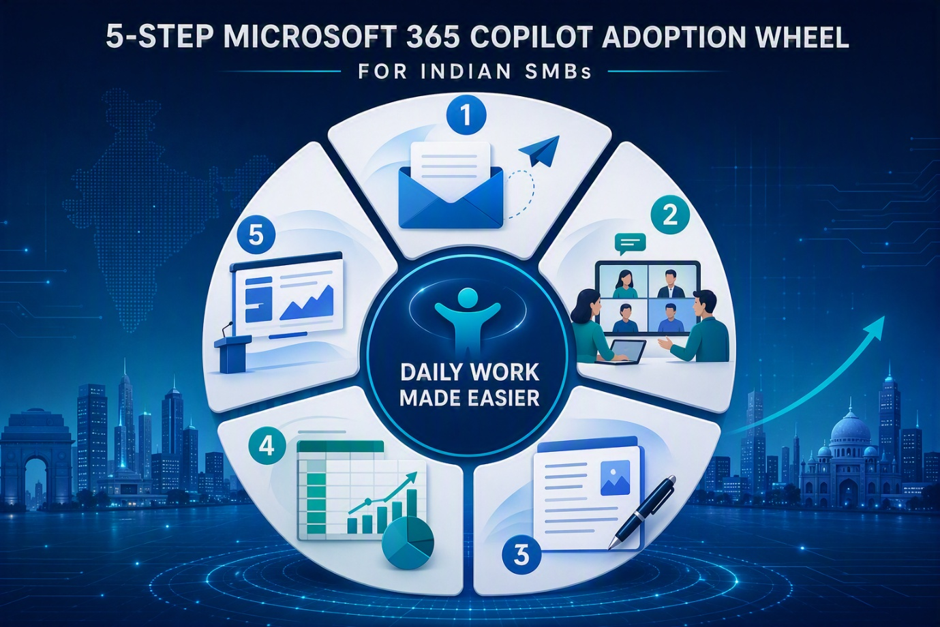
- Outlook: summarise a long customer mail thread and list unanswered questions.
- Teams: take a completed meeting and produce actions with owners and dates.
- Word: turn rough notes into a one-page update for management.
- Excel: ask for unusual movements in a worksheet and explain them in plain English.
- PowerPoint: turn an approved management note into a basic presentation that the team can finish.
Use company examples after checking the access and sensitivity of the content. A generic demo looks good. A demo using a task the HOD deals with every Monday gets attention.
Do not buy licences first
Buying licences and sending a training link is the easiest part. It is also how licences remain unused.
Pick one team. Pick three repetitive tasks. Check the data and permissions. Run the pilot for 30 days. Then ask simple questions: Did the team use it every week? Which task saved time? Which output still needed too much correction? Did any access problem appear?
If nobody can answer those questions, do not expand the rollout yet.
A workable rollout for an SMB
| Step | What Matrix3D checks | Decision |
| 1. Find the wasted time | Repeated mail, meeting, reporting and document work. | Choose three tasks, not twenty. |
| 2. Check access | Sharing, permissions, sensitive files and external access. | Fix the obvious exposure before the pilot. |
| 3. Run a small pilot | A limited group with real work to complete. | Continue only if use is regular and output is useful. |
| 4. Train by role | Prompts and examples for the selected tasks. | Do not give the same training to every department. |
| 5. Add licences carefully | Usage, correction effort, access issues and time saved. | Expand where there is proof. Stop where there is not. |
Copilot will expose bad housekeeping
Poor file names, duplicate documents, open folders and old access rights do not disappear because AI is added. They become more visible.
Before wider use, review the SharePoint sites and Teams that matter to the pilot. Remove access that is no longer needed. Mark sensitive material properly. Decide who owns each shared location. This is ordinary Microsoft 365 work, but it cannot be skipped.
Copilot rewards organised information. It does not organise the company by itself.
What we would tell an Indian SMB owner
Do not start with a company-wide announcement. Start with one department where people are losing time every week.
Let the HOD choose the work. Let IT check the access. Let users test Copilot on real tasks. After 30 days, keep what worked and drop what did not.
That is a better use of money than buying licences for everyone and hoping adoption will follow.
Want to show your HODs what Copilot can do with their actual work?
Matrix3D can review your Microsoft 365 setup, identify a small set of useful Copilot tasks, check access risks and run a controlled pilot with the selected teams.
Recent Comments